Your Google Business Profile Is Your Most Valuable Local SEO Asset
For local businesses, your Google Business Profile (GBP) is worth more than your website in terms of immediate visibility.
Here’s why: When someone searches “dentist near me,” “plumber in Mysuru,” or “best coffee shop nearby,” they see Google Maps first. And what determines if your business appears there? Your Google Business Profile.
Yet most businesses leave their GBP incomplete, outdated, or poorly optimized. They’re leaving massive visibility and customer calls on the table.
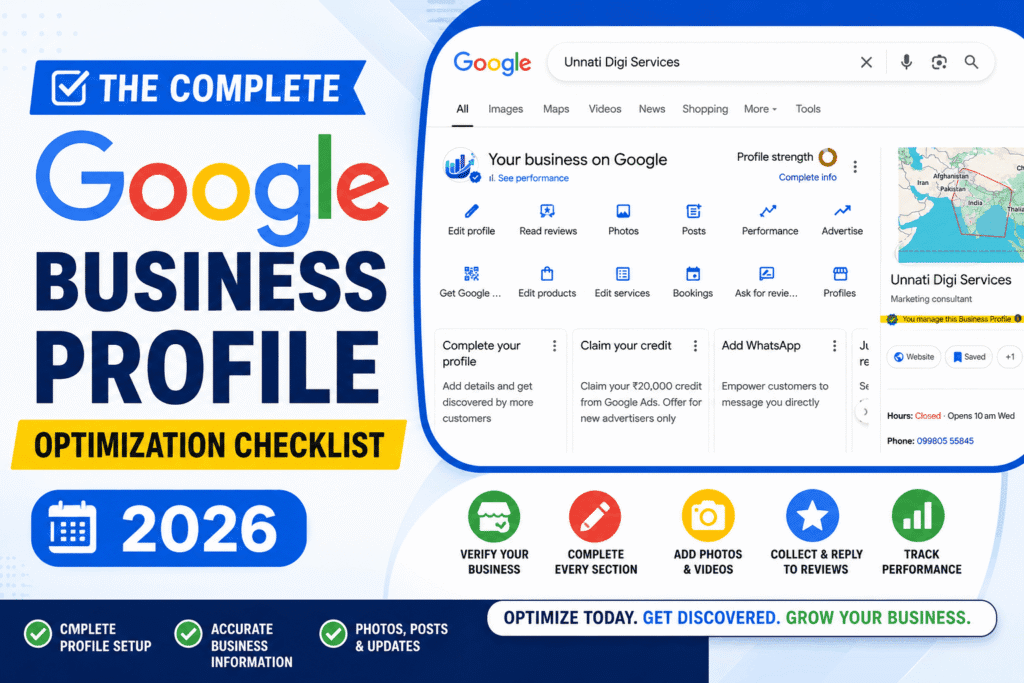
This checklist ensures you’re doing everything right. Go through it systematically, and you’ll see ranking improvements within 2-4 weeks.
Download 15 pages easy to read & implement printable pdf
Section 1: Business Basics (Must Complete)
These are non-negotiable. Without them, Google won’t properly list your business.
Business Name
- [ ] Your exact legal business name is entered
- [ ] No keywords stuffed in the name (e.g., don’t say “Best Local SEO Services in Mysuru”, just your business name)
- [ ] Name matches all other platforms (website, Facebook, directory listings)
- [ ] If you have a DBA or alternate name, it’s listed in the “Also known as” section
Why it matters: Google uses business name as a primary ranking and matching factor. Inconsistency kills your visibility. [brand name dilution]
Business Category
- [ ] Primary category is the most accurate match (e.g., “Local SEO Company” not “Marketing Agency”)
- [ ] You’ve added 3-5 secondary categories related to your services
- [ ] Categories are specific, not generic
- [ ] No made-up or irrelevant categories
Pro tip: For a digital agency serving multiple niches, your primary category might be “Digital Marketing Agency,” with secondaries like “Web Design,” “SEO Services,” “Local SEO Company.”
Address & Service Area
- [ ] Full, exact address is entered (including ZIP code)
- [ ] Address matches your website and all directory listings exactly
- [ ] “Service area” is set correctly (if you serve multiple cities, add each one)
- [ ] If you’re service-area only (no physical location), this is clearly marked
- [ ] Address is verified and confirmed (Google sends a postcard or verification code)
Critical: One typo in your address kills rankings. Double-check against your business registration documents.
Phone Number
- [ ] Primary phone number is entered and is a local number (not a toll-free)
- [ ] Phone number matches your website and all other platforms
- [ ] Number is verified and working
- [ ] If you have multiple locations, each has its own number
Section 2: Profile Completeness (High Impact)
These sections directly influence rankings and customer actions. This is one of the 7 major mistakes in your local SEO strategy.
Business Description
- [ ] You’ve written a 50-150 word description explaining what you do
- [ ] Description includes your location and key services
- [ ] First 2 sentences are compelling and answer “What do you do?” clearly
- [ ] You’ve naturally included 1-2 relevant keywords (e.g., “local SEO for Mysuru businesses”)
- [ ] No keyword stuffing or repetition
- [ ] Description is unique to your business, not copy-pasted from competitors
Example for Unnati Digi Services:
“Unnati Digi Services is a local SEO agency in Mysuru helping businesses build powerful websites, optimize for Google local search, and attract more customers. We specialize in Google Business Profile optimization, local SEO strategy, and Google Maps ranking for small businesses, professionals, and creative entrepreneurs across Mysuru and Karnataka.”
Website URL
- [ ] You’ve added your website URL (not a landing page, but your main domain)
- [ ] URL is correct and links properly
- [ ] Website is live and mobile-friendly
- [ ] Homepage clearly explains your services (not a landing page)
Business Hours
- [ ] Hours are entered for every day you’re open
- [ ] If you have varying hours, each day is listed separately
- [ ] Holiday closures or special hours are marked in the “Holiday Hours” section
- [ ] Hours match your website and actual operating schedule
Why it matters: When someone searches at 6 PM and sees “Open now,” they’re more likely to call.
Section 3: Visual Content (Critical for Engagement & Ranking)
Photos are one of the top local SEO ranking factors. Low-quality or missing photos tank your visibility.
Profile Photo
- [ ] You’ve uploaded a clear, professional logo or business photo (not a random image)
- [ ] Image is at least 250×250 pixels (ideal: 720×720)
- [ ] Image is bright, clear, and professional
Cover Photo
- [ ] You’ve added a cover photo representing your business or services
- [ ] Image is high quality and relevant
- [ ] Ideal size: 1200×630 pixels
Business Photos
- [ ] You’ve uploaded 15-20+ business photos (minimum 10)
- [ ] Photos include:
- [ ] Your storefront/office exterior
- [ ] Interior workspace or showroom
- [ ] Team photos (at least 2-3)
- [ ] Completed projects or work samples
- [ ] Products or services in action
- [ ] Customer interactions
- [ ] Before/after examples (if applicable)
- [ ] All photos are high resolution (at least 720×720, preferably 1200+)
- [ ] Photos are well-lit and professional-looking
- [ ] No blurry, dark, or low-quality images
- [ ] Photos are relevant to your business (not stock photos with watermarks)
Why it matters: Businesses with 10+ photos rank 35% higher than those with fewer. Photos also encourage clicks and calls.
Service Photos/Videos
- [ ] If applicable, you’ve added photos of your main services
- [ ] Each service area has visual representation
Section 4: Customer Engagement (Reviews & Q&A)
This section makes or breaks your local visibility.
Reviews & Ratings
- [ ] You have at least 10 reviews (20+ is better, 50+ is excellent)
- [ ] Your average rating is 4.5+ stars
- [ ] You respond to every review within 48 hours (positive and negative)
- [ ] Your responses are professional, helpful, and personalized
- [ ] You’re actively asking happy customers for reviews
- [ ] You have a system to collect reviews (email follow-up, QR code, link on website)
Response strategy:
- 5-star reviews: Thank them, mention specifics about what they praised, encourage return visit
- 1-3 star reviews: Apologize professionally, offer to make it right, ask for discussion offline (get their contact info), then follow up
Getting reviews:
- Send review request email 24 hours after service completion
- Place QR code linking to your review page in physical location
- Include review request in email signature
- Ask verbally during service (mention it’s important for your small business)
Q&A Section
- [ ] You’ve answered all customer questions
- [ ] You’ve proactively added 10-15 common questions (What’s your pricing? Do you serve [nearby city]? etc.)
- [ ] Answers are clear, helpful, and concise
- [ ] Answers naturally include your location and service details
Section 5: Attributes & Special Features
These help Google understand your business better.
Attributes (Check All That Apply)
- [ ] You’ve selected all relevant attributes (wheelchair accessible, offers curbside pickup, takes card payments, etc.)
- [ ] Attributes are accurate and current
- [ ] You’ve highlighted differentiators (e.g., “LGBTQ-friendly,” “Women-led,” “Veteran-owned”)
Services
- [ ] You’ve listed all your main services
- [ ] Each service has a clear description
- [ ] Services match what you actually offer
Products (If Applicable)
- [ ] You’ve listed products you sell
- [ ] Products have descriptions and prices
Section 6: Posts & Updates (Keep It Fresh)
Google prioritizes active, updated businesses.
Posts
- [ ] You post to GBP at least 1-2 times per week (like we do on our GBP!)
- [ ] Posts include news, promotions, event announcements, or useful tips
- [ ] Posts have clear calls-to-action (“Book now,” “Learn more,” “Call us”)
- [ ] Posts include relevant photos or videos
- [ ] You remove old posts after their promotion period ends
Special Offers
- [ ] If you have current promotions, they’re listed with end dates
- [ ] Offer descriptions are clear and include codes/details
Section 7: Messaging & Booking (If Applicable)
These features make it easier for customers to contact you.
Direct Messaging
- [ ] Messaging is enabled
- [ ] You respond to messages within 1 hour during business hours
- [ ] Messages are professional and helpful
Online Appointments/Booking
- [ ] If applicable, you’ve integrated booking (Google Calendar, Calendly, etc.)
- [ ] Booking is tested and working
- [ ] Availability is up-to-date
Section 8: Verification & Authority
These ensure Google trusts your business.
Verification Status
- [ ] Your business is verified (not “Unverified” or “Suspended”)
- [ ] If verification was requested, you’ve completed it (postcard, phone call, email, etc.)
- [ ] You have access to edit your profile
Additional Verification (Advanced)
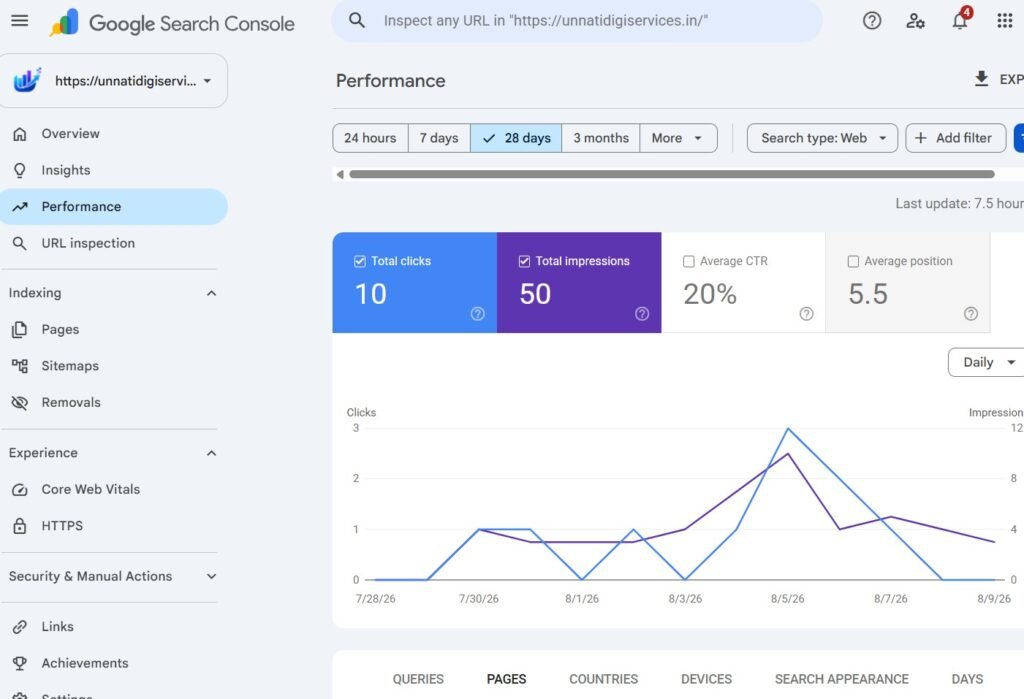
- [ ] You’ve added your website to Google Search Console
- [ ] Website appears in Google Search Console results
- [ ] Google recognizes your business from your website
Section 9: Compliance & Accuracy
These protect your rankings and prevent penalties.
Information Accuracy
- [ ] Every piece of information is current and truthful
- [ ] No misleading categories or services
- [ ] No keyword stuffing or manipulation
- [ ] No fake reviews or review manipulation
Compliance
- [ ] No prohibited content or claims
- [ ] No contact information in the description (Google penalizes this)
- [ ] No promotional links or spam
- [ ] Profile follows Google’s guidelines
The Optimization Workflow (Step by Step)
Week 1: Complete Everything
- Go through Sections 1-3 (Basics, Completeness, Photos)
- Make sure every field is filled and accurate
- Upload 15+ business photos
Week 2: Engagement & Updates
- Respond to all existing reviews
- Set up a system to get new reviews
- Add 10-15 Q&A items
- Post your first GBP posts (1-2)
Week 3+: Ongoing
- Post 1-2 times per week
- Respond to all new reviews within 48 hours
- Update Q&A as needed
- Monitor and refresh photos monthly
Quick Audit: Score Your GBP
Rate yourself 0-10 on each:
| Category | Score (0-10) |
|---|---|
| Complete & accurate basic info (name, phone, address) | ___ |
| Photos (15+ high-quality images) | ___ |
| Reviews (20+ with 4.5+ rating) | ___ |
| Active engagement (posts, Q&A responses) | ___ |
| Detailed description & services | ___ |
| Total Average | ___ / 10 |
- 8-10: You’re in good shape. Focus on posting and reviews.
- 6-8: Several gaps. Prioritize photos and reviews first.
- Below 6: Major work needed. Start with basics and photos.
What Happens When You Optimize
Expect these improvements:
✅ Weeks 1-2: Visibility increase in Google Maps (shows up in more searches)
✅ Weeks 2-4: More phone calls and website clicks
✅ Weeks 4-8: Ranking improvements for your primary keywords
✅ Months 3-6: Consistent, compounding visibility as reviews and content accumulate
Getting Help With Optimization
This checklist is detailed, but it’s also straightforward, you can do most of it yourself. However, if you want expert guidance on strategy, photo selection, or ongoing management, that’s where local SEO professionals come in.
At Unnati Digi Services, we handle complete Google Business Profile optimization as part of our Optimize for Local Search service. We audit, optimize, and maintain your profile to ensure it’s working 24/7 to bring you customers.
How We Got a 25-Year-Old Mysuru Business Listed on Google Maps in 48 Hours
Cost of Local SEO in Mysuru- What You Should Actually Expect to Pay?
Ready to get your GBP optimized professionally?
Book a free Google Business Profile audit, we’ll review your current profile, identify what’s missing, and show you exactly what to fix.